

Part 1 of Digital Etiquette: Navigating Social Chats, Phone Calls, Online Gaming and Messages with Grace.
As we continue exploring digital etiquette, it’s essential to recognize that online interactions are more than just messages and posts; they’re extensions of our relationships. Building positive digital connections means going beyond basic politeness and understanding how our online actions affect people around us. In this part, we’ll learn more about digital etiquette, so we can create a digital environment that supports both personal and professional relationships.
Text Messages

- Clarity is Key: Make your texts clear and precise. If it’s a sensitive topic, consider using a phone call or face-to-face conversation instead of texting to avoid misunderstandings.
- Don’t Overwhelm with Texts: Send texts in a single, thought-out message rather than multiple fragmented texts. This helps avoid overwhelming the receiver with notifications and allows them easily follow your thoughts.
- Avoid Abbreviations: Using abbreviations is fine among friends, but avoid overusing them in professional contexts to maintain clarity and professionalism.
- Respond Fully: Avoid replying with just single words; a person may start answering and can miss the rest of the message or an important part of it. Take a moment to provide a complete response, even if it is brief.
- Voice Messages for Close Friends Only: Keep voice messages for personal contacts, and use them accasionally in professional settings.
- Timely Responses: Respond to messages or emails within 24 hours, whenever possible.
- Explain Delays: If you respond later than expected, briefly explain the reason, such as being in a meeting, so the person understands the delay.
- Respect Timing: Avoid sending messages after 11 PM unless it’s urgent.
Respect Personal Space Online

- Social Media Boundaries: Always ask permission before tagging someone in posts, especially if it’s personal content. Respect others’ privacy, and avoid oversharing their information or experiences.
- Direct Message (DM): Keep DMs appropriate and non-intrusive. Avoid sending multiple messages if someone hasn’t responded, and be mindful of not overloading conversations with back-to-back messages.
- Maintaining Digital Boundaries: Just like in real life, respecting boundaries online is essential. Don’t text late at night unless it’s urgent, and avoid sharing sensitive information or personal details in comments or replies that might make others uncomfortable.
- Privacy in Comments: Avoid bringing up personal topics in public comments that others might want to keep private. For instance, comments like, “Oh, why did you get divorced? You two seemed so happy!” are best avoided unless the person has already shared this information publicly.
Online Gaming Etiquette

- Be a Good Sport: Win or lose, be respectful. Avoid trash talk, taunting, or making excuses, as this can ruin the experience for everyone. A simple “good game” (GG) goes a long way.
- Communicate Respectfully: Use clear and concise language in voice or text chat. Avoid yelling, swearing, or spamming messages. Keep communication polite and relevant to the game.
- Don’t Quit Prematurely: Leaving a game mid-match can negatively impact your team. Only start a match if you have enough time to finish it, and if you do need to leave, let your teammates know in advance if possible.
- Play Fair: Cheating or using hacks, mods, or exploits is unfair to others and often against the game’s terms of service. Play within the rules to keep the game fun for everyone.
- Share and Take Turns: In team-based games, share resources and play roles that support your team’s strategy. If you’re playing in a shared environment, take turns with others if needed.
- Respect Personal Boundaries: Avoid pushing others to share personal information or join external chat groups. Respect their comfort level and keep communication game-focused.
- Mute When Needed: If you’re in a noisy environment, mute your microphone to minimize distractions. Likewise, if someone else is disruptive, use the mute feature to keep focused on the game.
- Offer Constructive Feedback: If you want to give advice, be positive and specific. Avoid condescending or harsh criticism; instead, provide helpful tips to support improvement.
- Encourage New Players: Help beginners feel welcome rather than criticizing them. Being friendly and offering tips creates a more enjoyable experience for everyone.
- Respect Other Cultures and Sensitivities: Online games are global spaces with players from various backgrounds. Be mindful of cultural differences and avoid offensive or inappropriate remarks.
- Follow Game-Specific Rules: Each game has unique rules and community guidelines; make sure you’re familiar with them and follow them to avoid being banned.
- Report Bad Behavior When Necessary: If someone is violating the game’s terms of service or harassing others, use the report feature rather than retaliating. This helps maintain a positive gaming environment.
Travel Planning in Asia
Book Trains, Buses, Ferries, Transfers & Flights

Email Etiquette

- Use a Clear, Relevant Subject Line: Summarize the content of your email in a few words to help the recipient understand its purpose immediately. Avoid vague subject lines like “Hey” or “Question.”
- Start with a Polite Greeting: Begin with a respectful salutation, such as “Hello [Name]” or “Dear [Name],” especially in professional settings. This sets a positive tone.
- Be Concise and On-Topic: Keep your message brief and focused. Clearly state your main points and avoid unnecessary details to respect the recipient’s time.
- Use Professional Language: Avoid slang, excessive abbreviations, or emojis in professional emails. Write in full sentences and double-check for typos to ensure clarity.
- Avoid All Caps and Excessive Punctuation: Writing in all caps can come across as shouting, and too many exclamation marks can seem unprofessional. Use standard punctuation for a polished tone.
- Organize Your Message: If you have multiple points to cover, use bullet points or numbered lists to make the email easy to follow. Group related points together for readability.
- Respond Promptly: Aim to reply within 24–48 hours, especially if the email is time-sensitive. If you need more time to provide a detailed response, send a quick acknowledgment.
- Use “Reply All” Sparingly: Only include everyone in the response if it’s necessary for all recipients to see it. Unnecessary “Reply All” messages can clutter inboxes.
- Be Mindful of Tone: Without non-verbal cues, emails can easily be misinterpreted. Read over your message before sending to ensure it’s friendly, clear, and professional.
- Include a Clear Call to Action (CTA): If you need the recipient to do something, state it clearly. Whether it’s setting up a meeting or providing feedback, make your request easy to understand.
- Add a Professional Signature: End with a standard closing, like “Best regards” or “Sincerely,” followed by your name and contact information. This makes follow-up easier and adds a professional touch.
- Double-Check Attachments: If you mentioned attaching a file, ensure it’s attached before sending. Missing attachments can lead to delays and follow-up emails.
- Use BCC for Large Group Emails: If sending an email to many people who don’t need to reply to each other, use BCC to protect everyone’s privacy.
- Proofread Before Sending: Review your email for spelling, grammar, and formatting errors to ensure a polished final message.
Professional Digital Etiquette
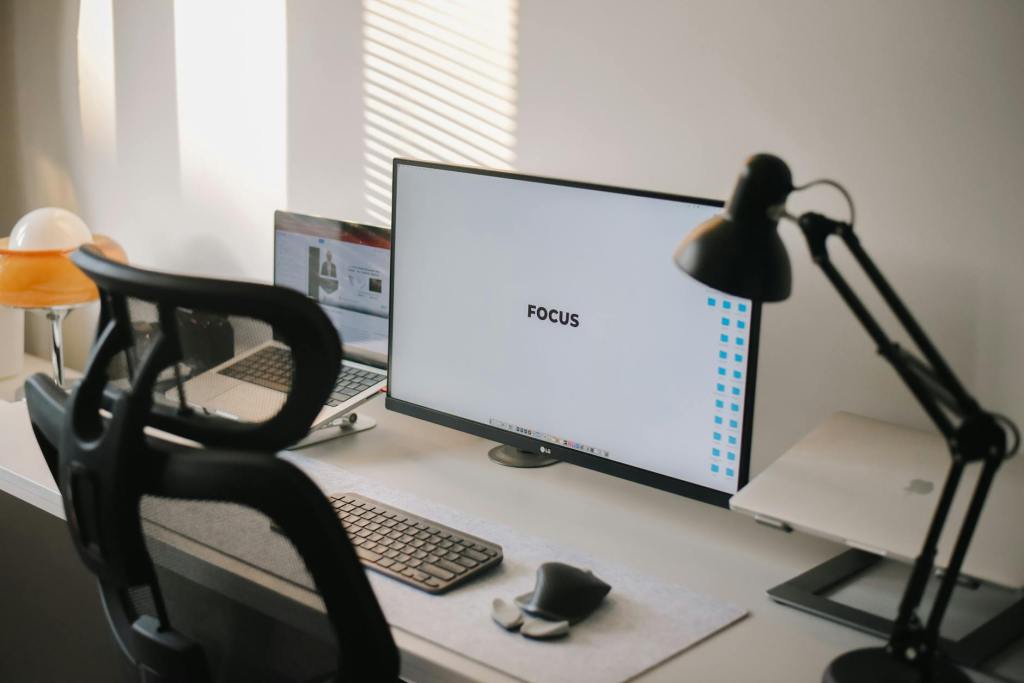
- Use Clear, Respectful Communication: In emails, chats, or messaging, keep your tone professional and avoid slang or overly casual language. Be clear, polite, and respectful, ensuring your message aligns with the level of formality required by your workplace or industry.
- Mind Your Tone and Timing: Written communication lacks non-verbal cues, so avoid sarcasm, jokes, or any language that could be misinterpreted. Respond promptly during business hours, but don’t feel pressured to reply outside work hours unless expected by your workplace culture.
- Respect Privacy in Group Communications: Before adding someone to a group chat or email chain, get their permission. Not everyone appreciates being added to groups, and some discussions may be best kept private.
- Limit Notifications: In a team chat, avoid sending multiple single-line messages back-to-back; instead, combine them into one message when possible. This keeps notifications manageable for everyone.
- Stay On-Topic in Group Chats: Keep group chats focused on the purpose at hand. Avoid off-topic discussions and unnecessary small talk in work-related channels, which can distract from essential conversations.
- Use “Reply All” and “CC” Sparingly: Only include necessary parties in replies and keep group emails concise. Overuse of “Reply All” or “CC” can clutter inboxes and lead to information overload.
- Limit Emoji and GIF Use: While emojis can add warmth, use them sparingly in professional communication. Stick to simple, context-appropriate emojis when necessary, and avoid using GIFs unless it’s acceptable within your workplace culture.
- Respect Meeting Etiquette: In video calls, arrive on time, mute when not speaking, and avoid distractions. Make eye contact with the camera, and ensure your background is tidy and appropriate.
- Avoid Multitasking: During virtual meetings or team chats, give your full attention. Avoid side conversations, checking emails, or working on unrelated tasks to show respect for others’ time and input.
- Be Mindful of File Sharing: Use proper file names, and organize shared documents or folders for easy access. Ensure you have permission before sharing files with outside parties, respecting data privacy and confidentiality.
- Emails: Keep emails professional. Use clear subject lines, avoid all caps (which can be seen as shouting), and always proofread before sending.
- Video Calls: Be punctual, dress appropriately, and ensure your background is clean and free of distractions. Use the mute button when you’re not speaking.
- Proofread and Double-Check: Before sending messages, emails, or files, proofread for errors, verify attachments, and ensure you’re messaging the correct recipient to maintain professionalism and avoid misunderstandings.
- Observe Digital Boundaries: Avoid sending non-urgent messages after hours unless it’s part of your company’s culture. Respect colleagues’ time and work-life balance, understanding that they may not respond immediately.
- Handle Feedback and Criticism Professionally: When giving feedback online, use positive language and constructive criticism. If receiving criticism, be receptive, and follow up in a calm, professional manner.
Discover the great cities of the world with
Big Bus Tours

Travel Smart, Travel Easy

Discover Europe with great savings and easy booking
Car Rental with QEEQ

Digital etiquette is more than just polite behavior; it’s about creating a respectful and mindful environment in all of our online interactions. By protecting privacy, maintaining professionalism, and practicing kindness, we will help to contribute to an online world. Remember, even small acts of digital respect can have a big influence on others. Let’s create a respectful and ethical digital world!
If you would like to contribute to my blog, you can please do so here
Connect with me on Social Media:
Discover more from Suitcase Travel Blog
Subscribe to get the latest posts sent to your email.


I had not realised the extent to which digital media has become a whole way of doing business. To me it is still just a means of staying in contact with friends or family to whom I used to write letters. As it has become so universally accepted, there really ought to be rules and instructions such as your very excellent guide. One thing I learned very quickly about email was that it gave you the opportunity to send a message while in a state of anger whereas writing a letter, you generally had a cool-down period to think it over!
LikeLiked by 1 person
Yes, I do remember being terrified of making an incorrect button click. Today, a digital world is our everyday reality and is accepted as normal. We may now easily purchase things online, communicate with family and friends across long distances, work remotely while travelling, and more. In the morning, I can’t even begin my day without browsing the internet. I’m absolutely sure that we require rules for media behaviour and communication. I like what you said that draughting a letter with your emotions will help you calm and reconsider before sending it. So true.
Thank you for reading and your comments. 🙋💗
LikeLike